Every time zone, one glance away.
Tzar is a native menu bar clock and calendar for people who work across time zones. See every colleague's local time and the working hours you share, without doing the math. It works with the calendars already on your Mac.
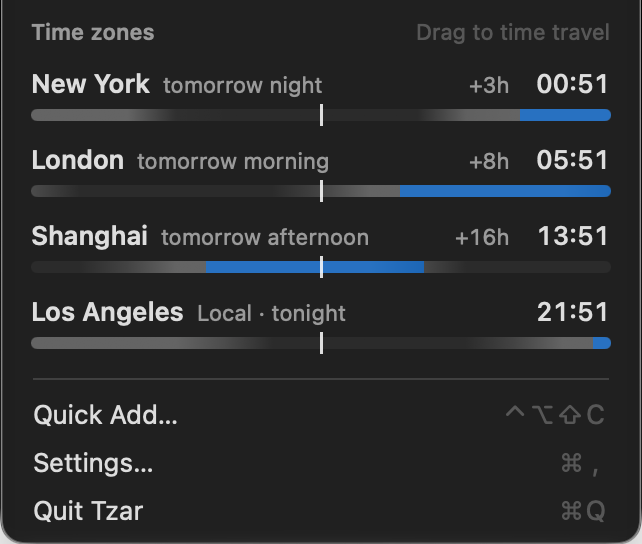
See the hours you share before you send the invite.
Every zone gets a strip of the 24 hours around now, dark at night and tinted for working hours. Green marks when everyone is at work. Drag across the zones to see any hour in every city.
Try it with your local time, New York and London.
One sentence becomes an event, a reminder or a focus block.
Type it the way you'd say it. Tzar highlights what it understood and shows the result in your time and theirs before you press Return. Tab switches the kind.
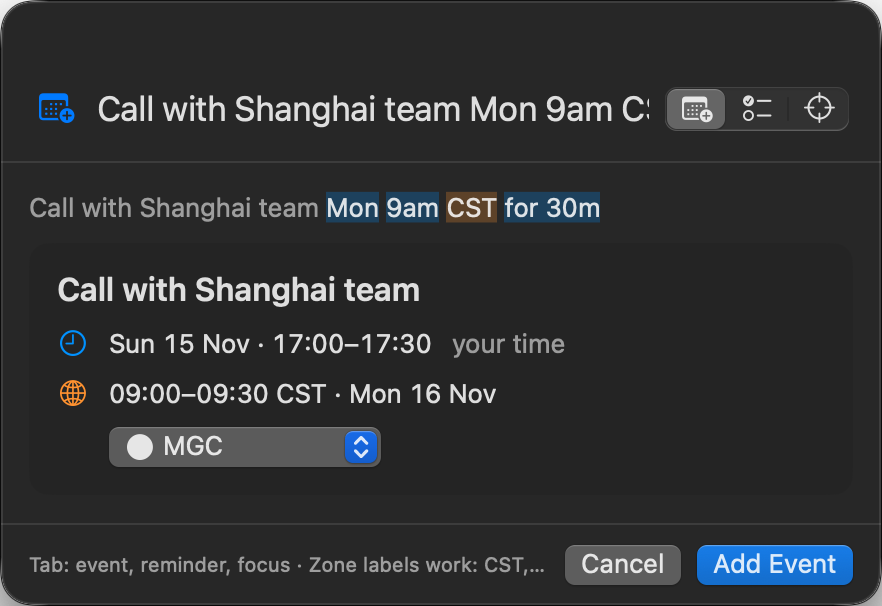
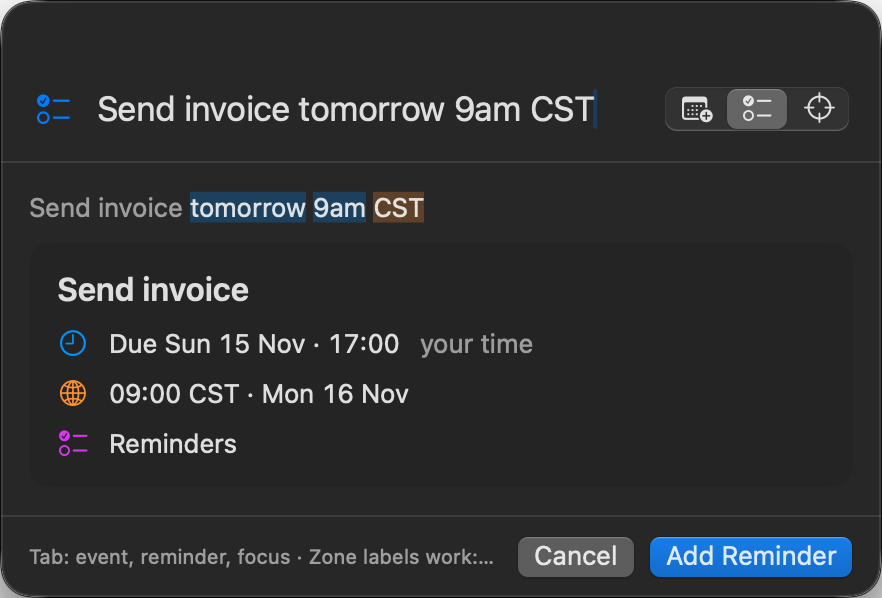
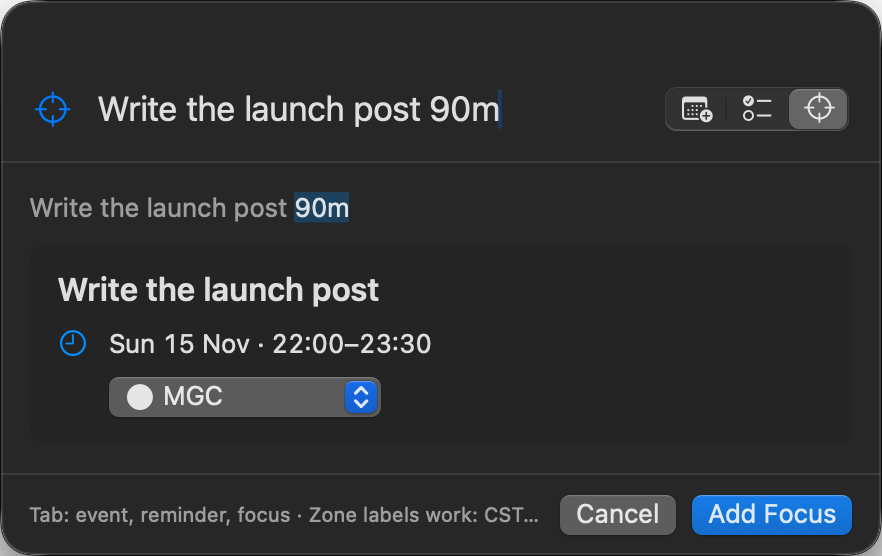
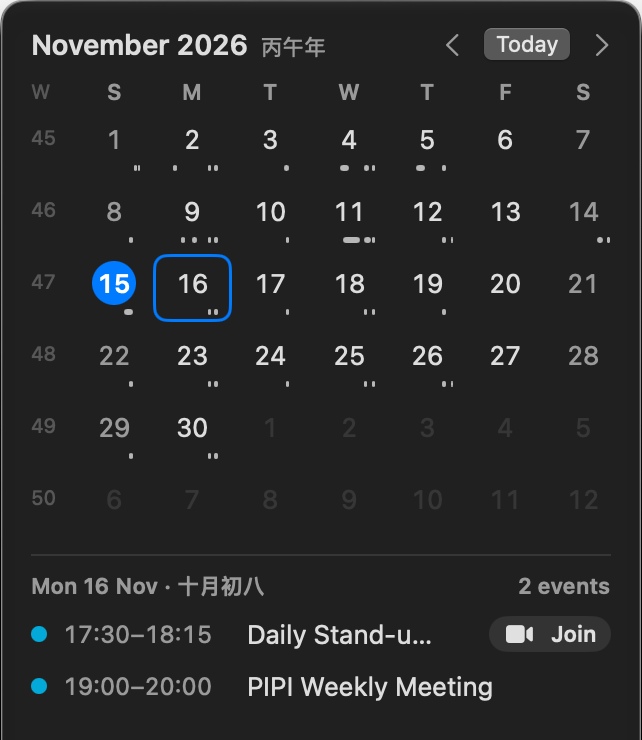
Your next call and its Join button, without opening Calendar.
- Join on Zoom, Meet, Teams, Webex and FaceTime events, highlighted 10 minutes before the start.
- Month at a glance: marks under each day show its booked hours from 8:00 to 20:00.
- Buffers: hover a meeting to add 15 minutes before or after it.
- Keyboard: arrows change the day, Return opens the first event, ⌘N adds one.
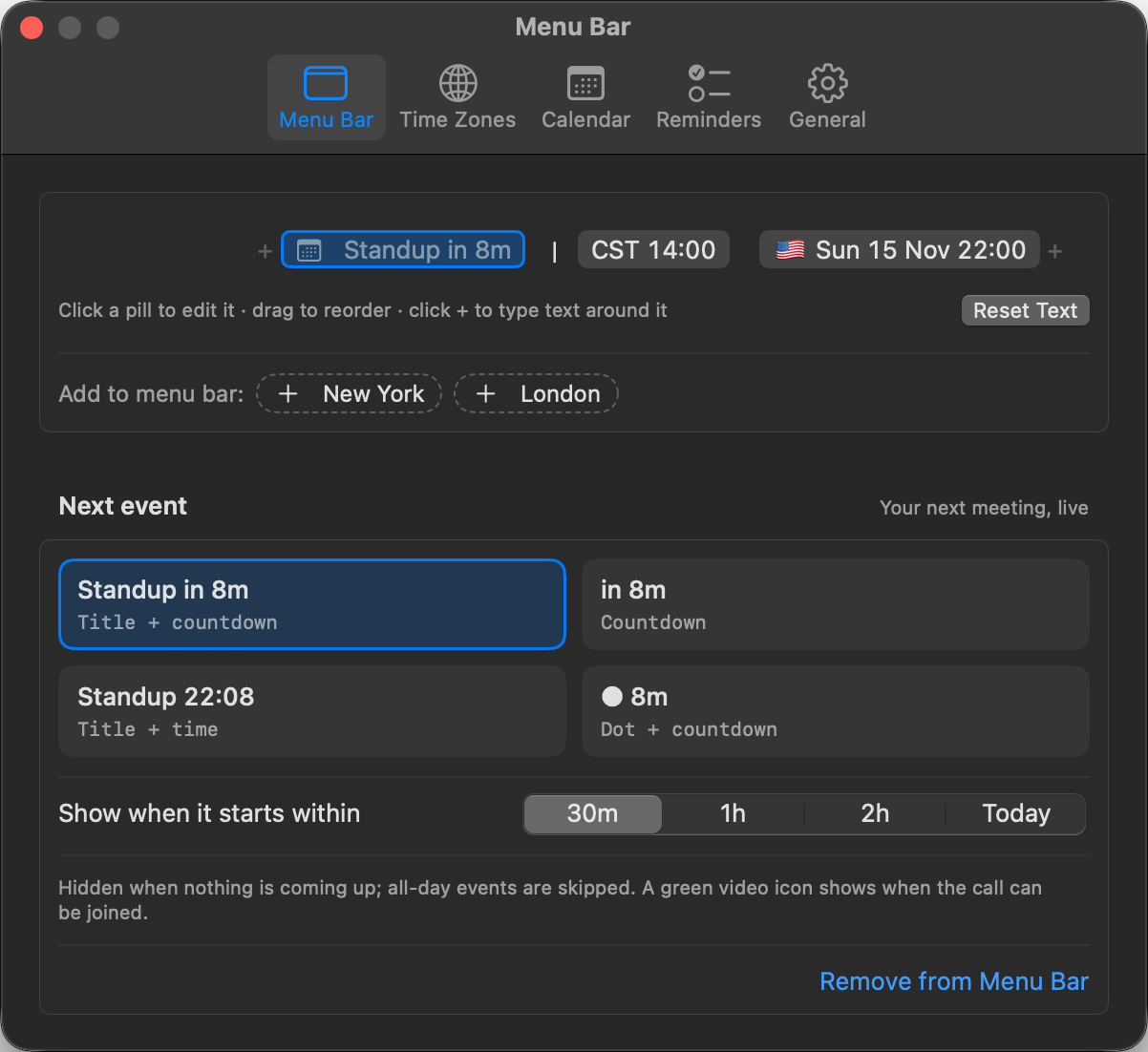
Choose what stays in your menu bar.
Show one city or several, with the time and date the way you like them. Label a zone "CST" and quick add understands "CST" too. Add a countdown to your next meeting that disappears when nothing is coming up.
Small things you'll notice every day.
Working hours per zone
Set each city's working day once. Weekends count as off.
Lunar calendar
The lunar year beside the month (丙午年) and the lunar day above the day's events (十月初七). Optional.
Reminders in the agenda
Due reminders sit under the day's events. Tick one off and it stays, struck through, so you can undo.
Click to copy a time
Click a zone to copy its time, like CST 13:51, ready to paste into chat.
Always right
Stays accurate after sleep, travel and daylight saving changes.
Private by design
Your calendar never leaves your Mac. No account, no tracking. A small native app that feels at home in macOS.
Before you sign up.
Which calendars does it work with?
Any calendar in the macOS Calendar app: iCloud, Google, Exchange and others you've added there. Tzar reads them through macOS.
Does it replace my calendar?
No. It sits alongside your calendar app. Events you add with Tzar go into your existing calendars.
What does it need access to?
Calendar and Reminders, and only when you turn those features on. The clock and time zones need no permissions.
What does it cost?
It's free during the alpha.
What happens to my email?
We use it only to send alpha builds and release notes. Using Tzar itself needs no account.
How rough is the alpha?
We use it every day, but expect rough edges. Your feedback decides what gets fixed first.
Want to try it early?
Leave your email and we'll send you a download link. We invite testers in small batches, so it may not be instant. After that, one email per release, nothing else.
Early builds of Tzar for your Mac, before anyone else.
Honest feedback. What breaks, what's confusing, what you'd miss if it were gone.
Add the zones of the people you work with, turn on Calendar, and leave it running for a week.
macOS 14 or later, Apple silicon or Intel. Free during the alpha.